
Create a gate
Offer something worth having, and ask for an email, a follow or a subscribe in return.
Pro and above
What a gate is#
A gate is a page where the reward stays hidden until the fan does something. That something can be handing over an email, subscribing to your YouTube channel, following you on Spotify, or any combination. When they finish, the reward appears.
Everyone who unlocks becomes a contact on your audience list, so a free download turns into people you can actually reach next time.
Building one#
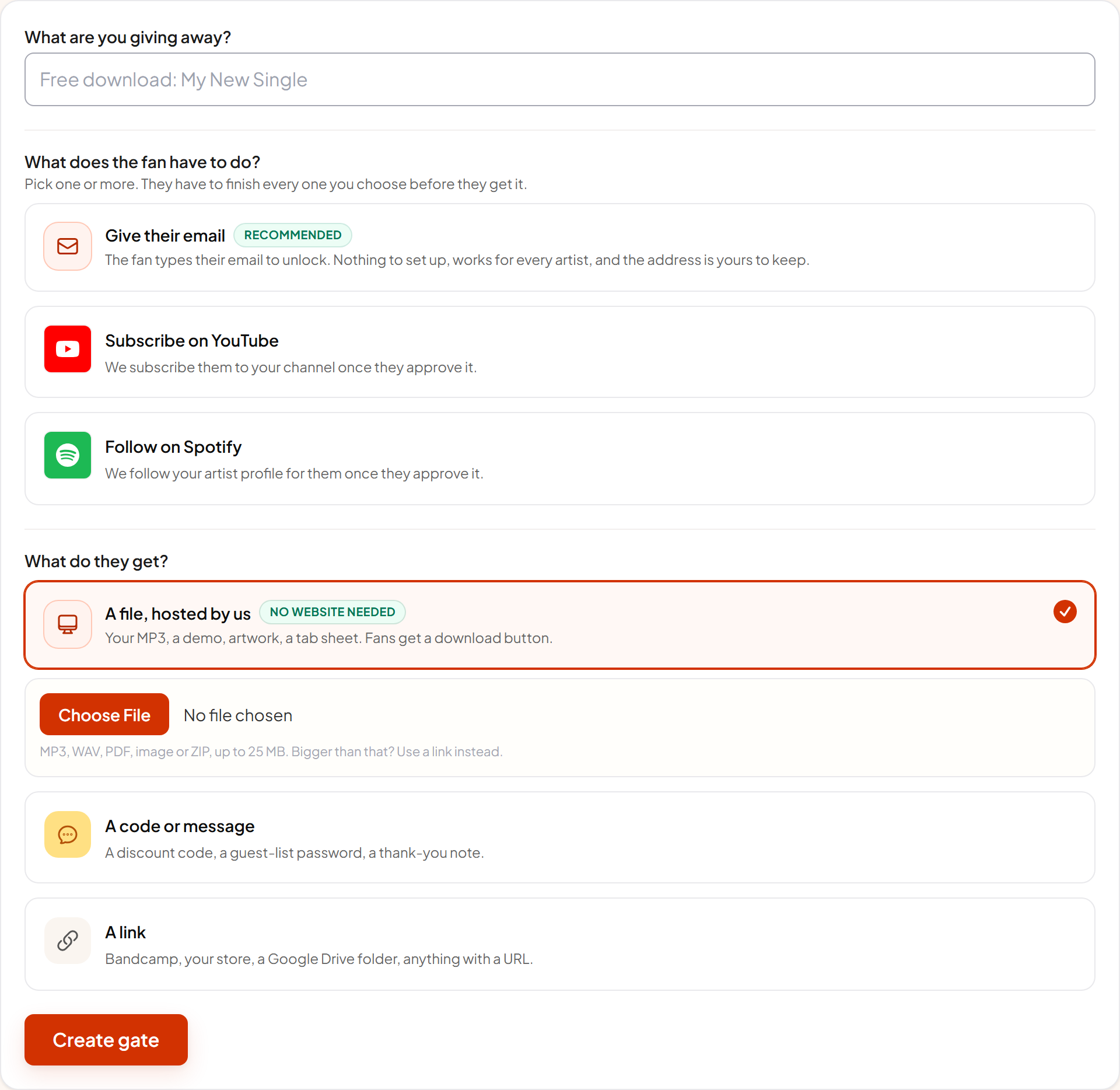
- 1 Say what they're getting The title is the promise the fan reads first. "Free download: Golden Hour" works. "Exclusive content" does not.
- 2 Pick what they have to do Choose one or more of the three cards. Every option you pick has to be completed before the reward appears, so two is usually the ceiling.
- 3 Add the reward Upload a file, write a code or message, or point at a link. See Rewards and delivery for the detail.
- 4 Create it and share the link You get a normal short link. Put it wherever you'd put a download link.
The three actions#
| Action | How it works |
|---|---|
| Give their email | The fan types an email on the page. Nothing to set up, works for every artist, and the address goes straight to your audience list. |
| Subscribe on YouTube | The fan approves access and we subscribe them to your channel. You need your channel ID, which is in YouTube Studio under Settings, Channel, Advanced. |
| Follow on Spotify | The fan approves access and we follow your artist profile. You need your artist link, from Share, Copy link to artist. |
★ Email alone is the safest option
What the fan sees#
A locked page shows your title, your description, and a step for each thing you asked for. Steps tick off as they're completed. With more than one step they see how many are left.
The reward only exists on the page once every step is done. It is not hidden with styling, it genuinely isn't in the page until the gate is complete, so nobody can read it out of the source.
Coming back later#
Progress is remembered on the fan's device for 30 days, so someone who completed a gate last week gets straight back to the reward without redoing anything. Clearing cookies or switching device means starting again.
Getting the emails out#
Open the gate to see the unlock count and recent addresses, with an Export emails CSV button. Gate contacts also appear on your main audience page alongside every other fan you've captured.
Fans can remove themselves#
Every unlock screen carries a Remove my data link. It deletes that fan's record from the gate. You do not have to do anything, and it is part of how we meet the platforms' data rules.